
7.7.4.1.1 Ingenico integration general information
Before connecting an Ingenico device to Ritapos you must buy a GMP3 license and enter department (VAT/section) data correctly.
Buying the cash register license
First of all, a GMP 3 service license must be purchased. This license fee is requested by the cash register company. For help with the purchase, you can call their support line at 0850 250 40 30. You can follow the steps below to purchase a license.
- Open https://online.ikasa.com.tr, or open https://ikasa.com.tr on your computer and go to the "Online transactions" page at the top right. Log in using the registration number on the back of the device and the mobile phone number you used to purchase the cash register.

- Log in to the "Virtual Market" under online transactions.

- Open "Value Added Service" under "Virtual Market" and choose "GMP3 Service Fee" for the period you prefer.

- Select "Wired" as the integration type for self-service payments, or "Wireless" to take payments at the table or at the door.
- If you chose wired, select TCP/ETH under "Connection type", then select "Ritapos" in the selection box below.
- If you chose wireless, select "Ritapos Proxy" in the selection box that opens. In the form that opens, enter "ritapos" in the username field and "ritapos" in the password field and press the "Save" button.
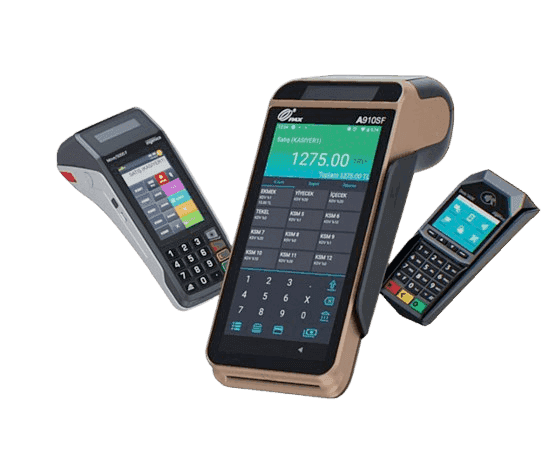
For the next part of the integration, the Restaurant application must be installed on your Ingenico device. If it is still not installed after 24 hours, call the cash register company support line.
Editing department information with Ritapos
When the integration of Ritapos and Ingenico runs, the department information defined in Ritapos will change the information on your device. Make sure the information you enter into Ritapos is correct.
Department information varies depending on your business type and NACE code. Generally;
- Beverage/Food 10
- Clothing 20
- Store 20
- Alcohol 20
- Service 20
- Tip 20
Values are entered like this.
If sales have been made with Ingenico before, a Z Report will be required when department information is changed. When notified about this request, press the "Enter" key.
First of all, you need to learn the VAT rates on your Ingenico device. To do this, print "CASH REGISTER POS SETTINGS" > "PROGRAMMING" > "PROGRAMMING INFORMATION" on your device, note the "SECTION INFORMATION" field on the printout and enter this information in the department settings in Ritapos. To do this, open "Ayarlar" (Settings) under AYARLAR in the left menu.
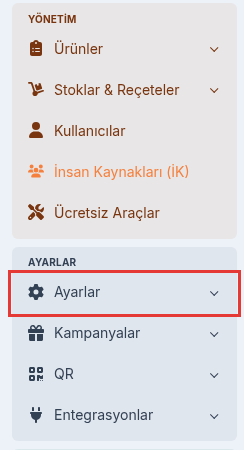
Under Ayarlar, open "Ödeme ayarları" (Payment settings) and click "Departmanlar" (Departments). In the Departments panel that opens on the right, enter the information from your Ingenico device in the İsim (Name) and Değer (Value) fields.
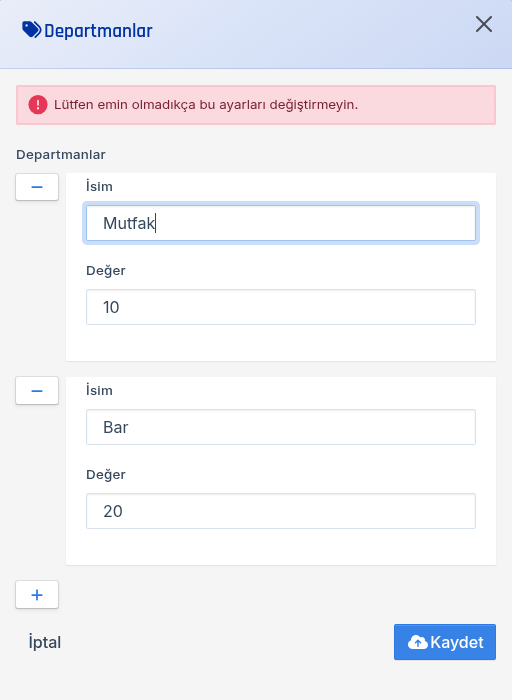
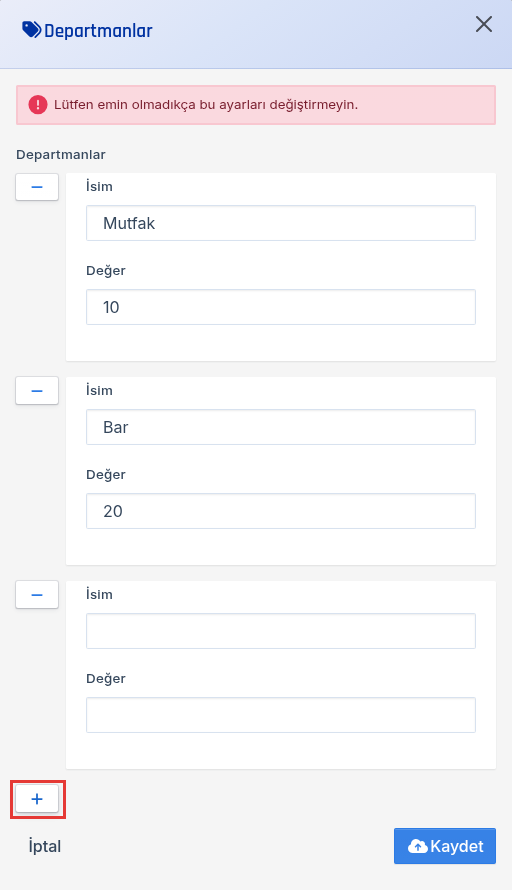
In the example image, the "Mutfak" (Kitchen) department is entered with the value 10 and "Bar" with 20. You will probably have more than one department. You can add the other departments with the "+" button at the bottom of the panel. When you are done, press "Kaydet" (Save).
WARNING:
Please ensure that the legal VAT rate for the section you have selected is correct in both the department information and the product information on Ritapos. Entering the wrong VAT rate will result in incorrect receipts and an error in the VAT calculation, resulting in a legal irregularity.


