
How to Choose a Cafe POS System: A Practical Guide
The right cafe POS depends on how deep your menu is and how fast your service needs to be. This guide clears up what people mean by cafe software and cafe guest check programs, then walks through the decision step by step.

What is a cafe POS system?
A cafe POS system is point-of-sale software that runs orders, payments and reporting in cafes, coffee shops and other drink-led venues. Compared with a restaurant POS, it deals with a shorter menu cycle, far more repeat orders and frequent drink variations (size, milk, syrup). You can see how Ritapos handles these situations on the cafe POS system product page; this guide gathers the criteria for choosing one.

Cafe software and cafe guest check program usually describe the same thing: an order taken at the counter or the table lands on a digital guest check. People searching for a cafe POS want the same result. What changes from one venue type to another is how simple the screen and the flow need to be.
What a cafe actually needs from its POS
- Quick product search and buttons for your best-selling drinks
- Orders by name or number, so the barista can call the guest
- Drink variations with extra shot and milk choices
- Takeaway, pick-up and in-house orders in a single report
- As few taps as possible during the morning rush
If most of your service happens at the table, mobile ordering earns its place. In a venue where nearly everything goes through the counter, a fixed tablet or a touchscreen PC may be all you need. The guide to opening a cafe is a good reminder of the operational decisions to make before opening day.
Cafe POS vs restaurant POS
| Criterion | Cafe POS | Restaurant POS |
|---|---|---|
| Menu depth | Small to medium, with lots of repeat orders | Wide, with courses fired in sequence |
| Priority | Speed at the counter | Tables and the kitchen display |
| Typical device | Tablet or compact PC | Waiter handheld plus KDS |
| Takeaway | Frequent | Varies by venue |
If you run a mixed model (coffee, light food and table service), look at packages that offer restaurant POS and cafe features together. The bigger picture is covered in what is a POS system.
Cafe guest check software and the payment line
Cafe guest check software records the order, while most venues take the payment on a fiscal payment recorder (ÖKC). To stop staff from keying in the amount by hand, read about the GMP3 / TSM flow in the cash register POS integration guide. Integration keeps the guest check total and the fiscal receipt in line with each other.
Don't confuse a software subscription with the cash register hardware itself: the device side needs its own contract and installation. Supported brands are listed on the cash register integrations page.
Using a QR menu alongside your cafe POS
A QR menu shows guests your products and prices, while ordering and payment usually still run through the cafe POS. When you update the menu from one place, the free QR menu and the till screen show the same price. For QR codes that keep scanning when they get scratched or smudged, see the article on error correction levels.

Cafe POS checklist
- How many taps does it take to enter the variations and notes on your menu?
- Can staff take orders at peak time without a queue building up at the till?
- Do delivery platform and web orders land in the same kitchen?
- Do the reports show hourly sales, your best-selling drinks and the split by payment type?
- If you plan to open more branches, can you manage the menu and reports centrally?
- Is there a trial period, and is there training material to learn from?
Reading the list of common POS software selection mistakes before you decide keeps you from looking at price alone. The POS system and pricing pages summarize the Ritapos packages.
Guest checks and stock
Cafes burn through milk, coffee beans and packaging too. Once sales are linked to recipes, planning your supply orders gets much clearer. The restaurant stock management guide covers wastage and the discipline of regular counts. For the basics of order handling, move on to what is a guest check program.

A workflow built around drinks
On the barista screen, hot and cold drinks sit on separate tabs, and shot or milk changes are added with a single tap. For drinks that take longer to make (cold brew, special filter), a kitchen timer or a ready alert takes pressure off the queue at the till. If you hand out numbered tickets (say, 42) instead of writing names, showing the number in large type on screen cuts down on mix-ups.
Once you add food (toasties, cookies), a single order may need to go to both the bar and a small kitchen printer. Getting these routing rules right is a critical part of setting up a cafe POS.
Handling the rush and the queue
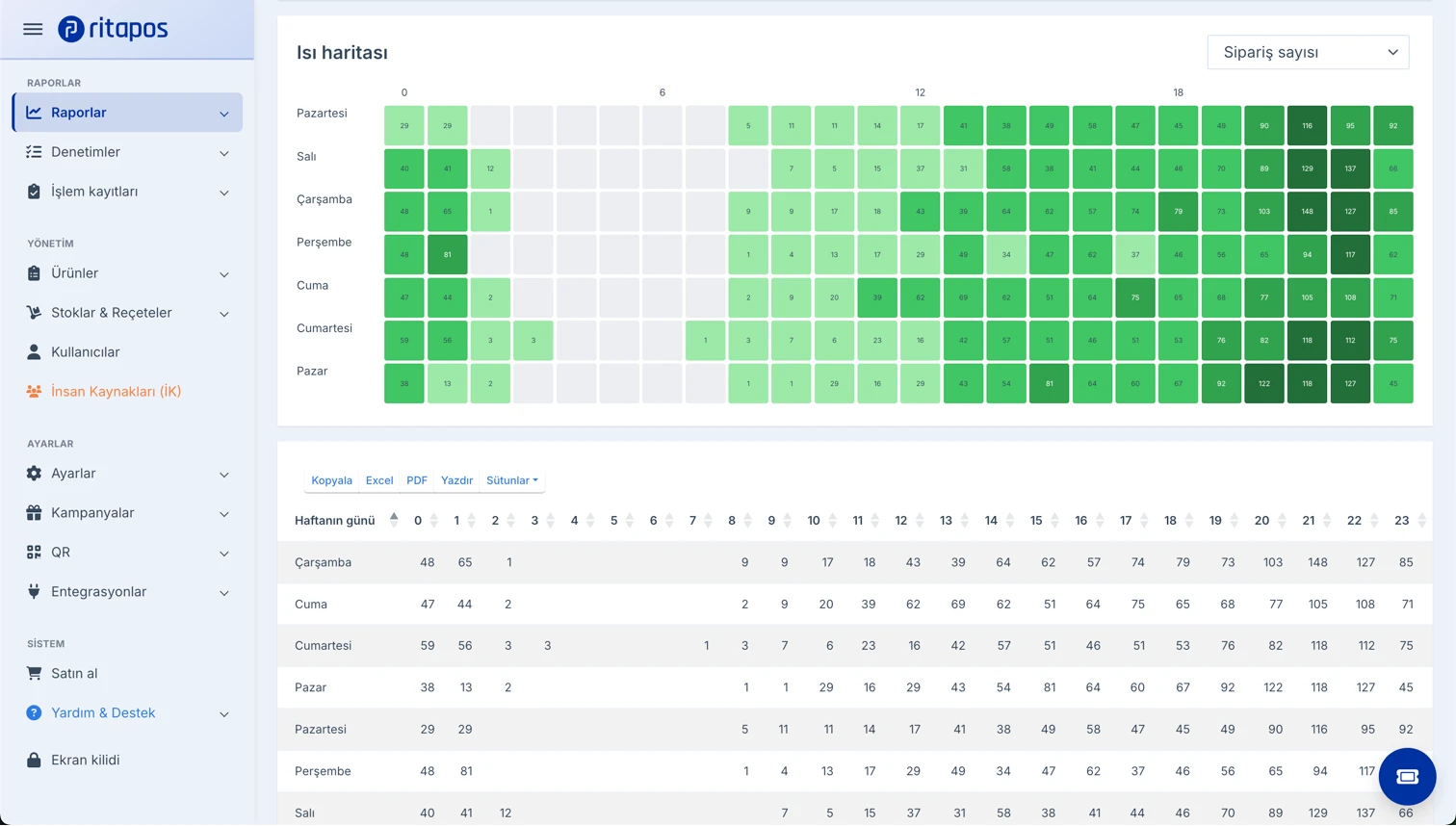
Between 08:00 and 10:00, order time is measured in seconds. Favorite product buttons and barcoded packaged items speed up the till on a cafe POS. If the payment integration is slow, the queue still grows even when the screen is fast, so test the integration at peak time before you commit. The how to use a POS device guide sums up the payment steps.
Keep learning in the Academy
If you would like to see this step by step on screen, the related lessons in Ritapos Academy walk you through it.
Product page: cafe POS system.
Related guide: what is a guest check program.

Frequently Asked Questions
What is a cafe POS system?
A cafe POS system is point-of-sale software that runs orders, payments and reporting in cafes and similar quick-service venues.
What is the difference between cafe software and a restaurant POS?
Cafe software is built around speed at the counter, while a restaurant POS puts more weight on tables and the kitchen display. See the cafe POS and restaurant POS pages.
Does cafe guest check software need to work on mobile?
If you have tables or a terrace, mobile ordering helps. In a venue where most sales go through the counter, a fixed tablet may be enough.
What are the first three things to check when choosing a cafe POS?
An order screen that fits your menu, performance at peak hours and cash register integration. Read the article on POS selection mistakes.
Take the First Step for Your Business's Future
14-day free trial. No credit card required. Cancel anytime.