
5 Big Mistakes People Make When Choosing POS Software
Picking the wrong POS costs you time and money. We have gathered the five mistakes owners make most often when choosing one, and how you can avoid them.

Why the right POS software matters
As an owner or operator, it is only natural that you want to spend most of your valuable time and resources on things that grow sales. More sales mean more revenue and a bigger business. So how will you keep track of your venue, or venues, and stay in control while all that growth is happening?
That is the moment you need good point of sale software.
An effective POS gives you realistic, real-time data on your sales, your stock, your customers and your staff. You then use that information to decide where to invest so the business keeps growing. Get the choice wrong, and you waste not only money but also time and effort.
You can try Ritapos right now to cover that need, or read on to learn the most common mistakes so you don't make the wrong call.
Skipping the needs analysis
The biggest mistake you can make when choosing POS software is not thinking through what you need and what you expect the system to do for you. If you run a small stand that is short on space, a compact, modular POS may be essential. For a venue with more than 200 tables, the essential thing may be planning how many devices your waiters will use to enter orders, and where those devices sit on the floor.
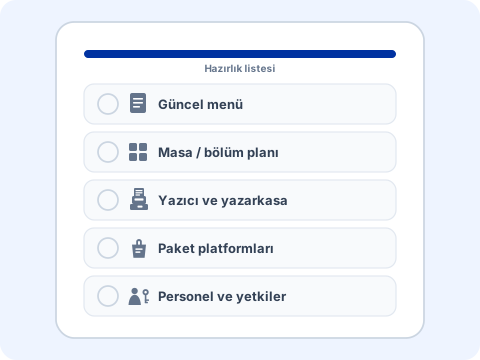
If you don't pin down your needs properly, you will either pay for features you never use or miss something your business cannot do without.
Looking only at the price
You have to be smart about how you spend and invest your money, but this is not the place to cut corners: you use your POS every minute the venue is open. Choosing cost-effective software and devices will save you from serious trouble when the room is packed.
Picture this: a table has an open check for 1297 TL, and just as the guests ask to pay, one of your waiters deletes the order by mistake. They can't remember the total, and the guests are standing there waiting to pay. The Owner is not in the venue. How much is your waiter going to charge? With a system that moves deleted orders to a recycle bin and reports them to you, this would never be a problem, would it?
The money you save by using a badly designed system can end up costing you much more down the line.
Device and platform limits
To avoid spending more than you need on a POS system, write down the features you cannot do without. Do you want to manage several venues at once? Do you need integration with your accounting software? Decide on the POS system only after that.
There is no rule that says every POS software will run on every device the way Ritapos does. Whether you need a screen in the kitchen or a thermal printer also varies from one venue to the next.
The POS software you are considering may only integrate with card readers, barcode scanners, thermal printers, cash drawers and similar hardware on a single operating system. So don't box yourself in by buying the hardware first. That mistake can stop you from using the POS system you buy afterwards the way it should be used.
This is exactly why we at Ritapos support every device, to keep the problems you might run into to a minimum.
If you don't train your staff on the POS system, many features of a system used every day in your venue will sit idle, and over time that adds up to lost time and effort.
Set aside part of your time to train your team. Don't overwhelm them with too much information at once. Ten minutes of training a day will start paying off sooner than you think.
You wouldn't buy your dream car without a test drive, would you? So why buy a POS system you will use every day, every hour, without trying it first? POS software that looks great on paper or in a demo video can start causing trouble once thousands of orders have gone through it.
Always ask for a free trial that lasts at least one week.
You can try Ritapos without sharing a credit card and without paying anything.
Keep these points in mind, compare the POS systems on your shortlist by price and performance, and then make your choice. Chances are you will end up with POS software that gives you no trouble.
Keep learning in the Academy
If you would like to see this step by step on screen, the related lessons in Ritapos Academy walk you through it.
You can compare POS options by venue type on the cafe POS and restaurant management system pages.
Related product page: cloud-based POS system.

Take the First Step for Your Business's Future
14-day free trial. No credit card required. Cancel anytime.